In May 2026, a software publisher posted to Microsoft Q&A describing exactly this situation. Same organization. Same publisher name. Same Certificate Authority. A routine EV certificate renewal, nothing changed except the certificate thumbprint. SmartScreen treated the company as an unknown publisher, resetting years of established reputation overnight. Enterprise customers who had never seen a SmartScreen warning on the company’s software were now seeing one. The publisher asked Microsoft whether any escalation path existed to restore the reputation (Microsoft Q&A, May 2026).
The confirmed answer: there is no documented escalation path or engineering-side override to restore or clone reputation between certificates. Reputation must build organically from zero with the new certificate. This is true for EV-to-EV renewal and for OV-to-EV upgrades equally.
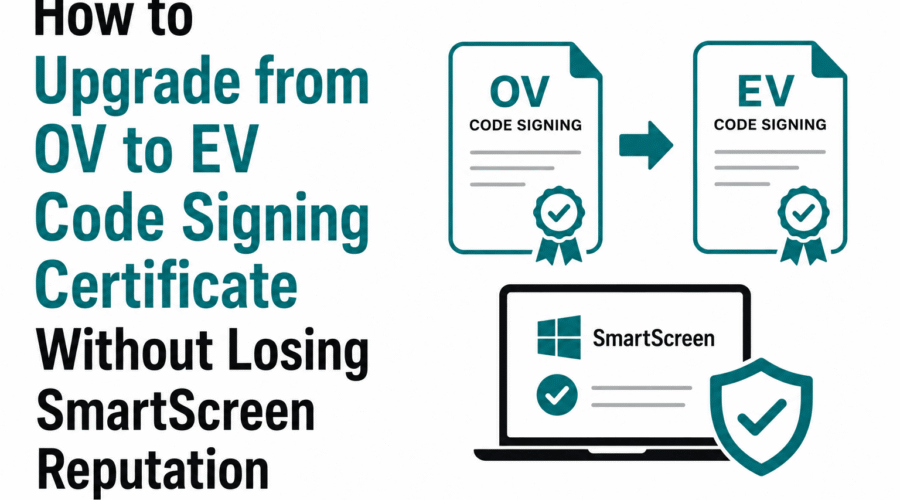
This guide addresses the question honestly. There is no way to preserve SmartScreen reputation across a certificate change. But the question also contains a premise worth examining: upgrading from OV to EV specifically for SmartScreen benefits has not been justified since August 2024, when Microsoft removed EV certificates’ SmartScreen reputation bypass. Understanding both the reputation mechanics and the current state of OV versus EV for SmartScreen tells you whether an upgrade is worth doing at all, and how to minimize the disruption when it is.
What is a certificate thumbprint?
A certificate thumbprint is a unique hash identifier computed from the certificate’s full content. Every certificate has a different thumbprint, including renewed certificates from the same CA for the same organization. SmartScreen links publisher-level reputation to the thumbprint, not to the organization name. When the thumbprint changes, SmartScreen treats the new certificate as a new publisher identity with zero reputation history, regardless of how long the organization has been distributing software.
Why SmartScreen Reputation Resets on Any Certificate Change
SmartScreen maintains reputation at two levels: per file hash (the SHA-256 of the specific binary) and per publisher certificate thumbprint. The publisher-level reputation is the component that provides benefit across releases: an established publisher with years of clean distribution history sees new releases clear SmartScreen faster than a new publisher with no history.
When a certificate changes, the thumbprint changes. SmartScreen’s publisher-level reputation is tied to the thumbprint. A new thumbprint starts with zero publisher history regardless of how long the organization has been signing software under a different certificate. Reputation accumulated under the old certificate does not transfer. There is no documented API, portal function, or Microsoft engineering process that can transfer it.
The May 2026 Microsoft Q&A case documented an enterprise software company with years of deployment across enterprise environments without a single security incident. Their EV certificate renewal reset that entire history. Microsoft’s response confirmed the behavior and the lack of any override path. The only supported mitigation is to continue signing with the new certificate and allow reputation to rebuild through real-world downloads.
Per-file-hash reputation is separate from publisher-level reputation and does not reset on certificate change for already-distributed binaries. A specific installer that has been downloaded thousands of times retains its file-hash reputation. New releases signed with the new certificate start at zero file-hash reputation but the download volume from existing users contributes to building publisher-level reputation for the new certificate more quickly than a genuinely new publisher would experience.
Why Upgrading to EV Specifically for SmartScreen Is Not Justified in 2026
Before August 2024, EV certificates provided an instant SmartScreen bypass on first download. This was the primary commercial justification for paying EV premium pricing for software publishers whose use case did not require kernel driver signing. Microsoft removed this bypass as part of the Program Requirements update to the Microsoft Trusted Root Program, effective August 2024. Section 3, subsection D, part 3 of the program requirements states that beginning in August 2024, all EV Code Signing OIDs will be removed from existing roots in the Microsoft Trusted Root Program, and all code signing certificates will be treated equally.
A May 2026 Microsoft Q&A response from Microsoft staff confirmed the current state: since 2024, EV and OV certificates are treated the same for SmartScreen. Reputation accumulates per file hash over time regardless of certificate type. EV certificates no longer grant an instant SmartScreen bypass. They follow the same reputation-building process as OV certificates.
The direct implication for the question this guide addresses: upgrading from OV to EV in order to preserve or accelerate SmartScreen reputation recovery after a certificate change provides no benefit. The new EV certificate starts with zero SmartScreen reputation, just as a new OV certificate would. The upgrade costs more, requires additional validation steps, and delivers no SmartScreen advantage in return.
| Factor | OV certificate in 2026 | EV certificate in 2026 |
| SmartScreen reputation at first use | Zero. Builds through download telemetry. | Zero. Builds through download telemetry. Identical to OV. |
| SmartScreen bypass on first download | No | No. Removed August 2024. |
| Reputation reset on certificate renewal | Yes. New thumbprint starts at zero. | Yes. New thumbprint starts at zero. Identical to OV. |
| Kernel-mode driver signing | Not accepted | Required for HDC submission and WHQL |
| Annual cost (typical) | $120 to $240/year | $280 to $620/year depending on CA and path |
| Validation overhead | OV: organization existence, address, phone | EV adds: officer callback, stricter organizational verification |
| Enterprise procurement signal | Recognized by all major enterprises | Some enterprise procurement teams still prefer EV as a signal of validation rigor |
When an OV-to-EV Upgrade Is Actually Justified
There are three scenarios where upgrading from OV to EV is the correct decision regardless of the SmartScreen situation:
Kernel-mode Windows driver signing
EV is a hard requirement for submitting kernel-mode drivers to Microsoft’s Hardware Dev Center (HDC) for WHQL certification. Windows 10 and Windows 11 enforce kernel code signing in a way that requires HDC cross-signing, and HDC submission requires an EV certificate. No workaround exists for this requirement. If your application includes a kernel-mode driver (.sys file that loads into the Windows kernel), upgrading from OV to EV is mandatory, not optional.
Enterprise procurement requirements specifying EV by name
Some enterprise procurement processes, security policies, and software vendor qualification frameworks specify EV certificates as a requirement. The post-August 2024 change equalized EV and OV for SmartScreen but did not change enterprise procurement policies that were written before that change and have not been updated. If a specific enterprise customer or partner requires EV as a condition of software deployment or procurement approval, an EV certificate is the practical solution.
Before upgrading for this reason, confirm whether the procurement requirement is specifically about EV certificate validation level or about the certificate providing a SmartScreen bypass. If the requirement was written when EV provided a SmartScreen bypass that no longer exists, clarifying this with the customer may reveal that OV now satisfies the same functional requirement.
Regulatory or industry framework requirements
Certain regulated industries, security certification frameworks, and compliance standards reference EV code signing certificates specifically. Healthcare software under FDA guidance, financial services security frameworks, and certain government contractor requirements may specify EV. These requirements exist independently of SmartScreen and should be confirmed directly against the applicable standard.
Minimizing the Reputation Rebuild Period After a Certificate Change
When a certificate change is unavoidable, whether from OV to EV for legitimate reasons or from a necessary renewal, the following practices give the new certificate the best conditions for building reputation as quickly as possible:
Submit to Microsoft Security Intelligence on release day
Do not wait to see whether organic reputation builds before submitting. On the day the first release signed with the new certificate is published, submit the signed binary to microsoft.com/en-us/wdsi/filesubmission using the Software Developer track. Include the new certificate’s thumbprint, the organization name, and a description of the software. Microsoft’s analysis team reviews software developer submissions with the context of a known publisher, which can accelerate the determination compared to waiting for automated telemetry to accumulate.
Continue distributing from the same stable domain
SmartScreen evaluates the download URL as a signal alongside the file hash and publisher thumbprint. A new certificate downloaded from a domain with years of clean distribution history benefits from that URL reputation. Avoid changing the download URL when changing the certificate. Maintaining the same HTTPS domain, the same URL path structure, and the same hosting approach preserves the URL-level signal that moderates SmartScreen’s assessment of new publisher credentials.
Release on the existing certificate as long as possible
Under the 460-day maximum certificate validity introduced in March 2026, certificates require more frequent renewal than the prior 39-month terms. Each renewal resets publisher-level reputation. The practical mitigation: sign every planned release with the current certificate before it expires, including any upcoming releases that could ship under the current certificate. The more download volume the current certificate accumulates before expiry, the faster the reputation-building context when the new certificate takes over.
Communicate proactively with existing users
Users who have successfully installed your software before the certificate change have an implicit trust relationship with your product. A proactive communication before a major release that uses a new certificate sets expectations: acknowledge that Windows may show a SmartScreen warning for the new release, explain why (routine certificate renewal), and provide instructions for the More Info bypass. This reduces support burden during the reputation rebuild period and prevents users from interpreting the warning as evidence of a security problem.
Consider Microsoft Store distribution for high-visibility releases
Apps distributed through the Microsoft Store are re-signed by Microsoft and carry full SmartScreen reputation by default. For a major product release that happens to coincide with a certificate change, submitting to the Store eliminates the SmartScreen friction entirely for the Store-distributed version. Users who install through the Store never see a warning regardless of the certificate’s reputation history.
What Does Not Help
- Upgrading from OV to EV for SmartScreen reputation recovery: both certificate types start with zero SmartScreen publisher reputation. EV costs more, takes longer to validate, and provides no SmartScreen advantage over OV since August 2024.
- Contacting Microsoft to request reputation restoration: there is no documented contact path for this. The May 2026 Microsoft Q&A confirms no engineering-side override exists. Microsoft’s SmartScreen team does not have a reputation transfer mechanism.
- Re-signing releases with the old certificate after expiry: an expired certificate without a prior timestamp cannot produce a valid new signature. Signatures created before expiry with a timestamp remain valid. New signatures cannot be created after certificate expiry.
- Changing the organization name or publisher display name to trigger different treatment: SmartScreen tracks publisher identity by certificate thumbprint, not by the display name in the certificate Subject. Changing the display name while keeping the same certificate does not affect reputation. Changing the display name with a new certificate still starts at zero.
Frequently Asked Questions
Does renewing with the same CA and same organization name preserve any reputation?
No. Certificate renewal produces a new certificate with a new private key and a new thumbprint. SmartScreen reputation is thumbprint-based. The CA’s identity and the organization name are not factors in reputation continuity. A renewal from DigiCert for the same organization produces a new thumbprint that SmartScreen treats as a new publisher identity. There is no partial credit for shared CA or shared organization name. The only thing that preserves reputation is using the exact same certificate without renewal until it expires naturally, while allowing reputation to accumulate during its validity period.
How much faster does reputation rebuild for an established publisher versus a new publisher?
Microsoft does not publish specific metrics. The community experience documented in developer forums suggests that publishers with large, active user bases who distribute regularly see reputation rebuild over weeks. Publishers with smaller or less frequent download volumes may see the process take months. The distinction is volume: a publisher whose existing users download a new release produces a large volume of clean download events quickly, which accelerates the thumbprint reputation scoring for the new certificate. The publisher-level history under the old certificate is not transferred, but the volume of users who trust the organization creates a faster path than a genuinely new publisher would have.
If EV and OV are the same for SmartScreen, why do some CA resellers still advertise EV as providing instant SmartScreen trust?
Some CA resellers and comparison sites have not updated their marketing materials to reflect the August 2024 Microsoft policy change. The EV instant SmartScreen bypass was a major selling point for EV certificates and was widely documented. The reversal, documented in Microsoft’s Trusted Root Program Requirements and confirmed in multiple Microsoft Q&A responses through 2026, has not been uniformly communicated to or adopted by all CA marketing channels. When evaluating a CA’s claims about EV and SmartScreen, verify against Microsoft’s current program requirements rather than relying on CA or reseller marketing copy.
——————————-
Sources: Microsoft Q&A, ‘SmartScreen Reputation Reset Following EV Certificate Renewal’ (May 2026); Microsoft Q&A, ‘Issue with Microsoft SmartScreen and DigiCert’ (May 2026); Microsoft Learn Q&A, ‘Program Requirements – Microsoft Trusted Root Program (EV code signing)’ (July 2024); Microsoft Trusted Root Program Requirements, Section 3.D.3 (August 2024); SSL Insights, ‘Best Code Signing Certificate for Windows Apps: OV vs EV Guide’ (March 2026).

Gloria Bradford is a renowned expert in the field of encryption, widely recognized for her pioneering work in safeguarding digital information and communication. With a career spanning over two decades, she has played a pivotal role in shaping the landscape of cybersecurity and data protection.
Throughout her illustrious career, Gloria has occupied key roles in both private industry and government agencies. Her expertise has been instrumental in developing state-of-the-art encryption and code signing technologies that have fortified digital fortresses against the relentless tide of cyber threats.