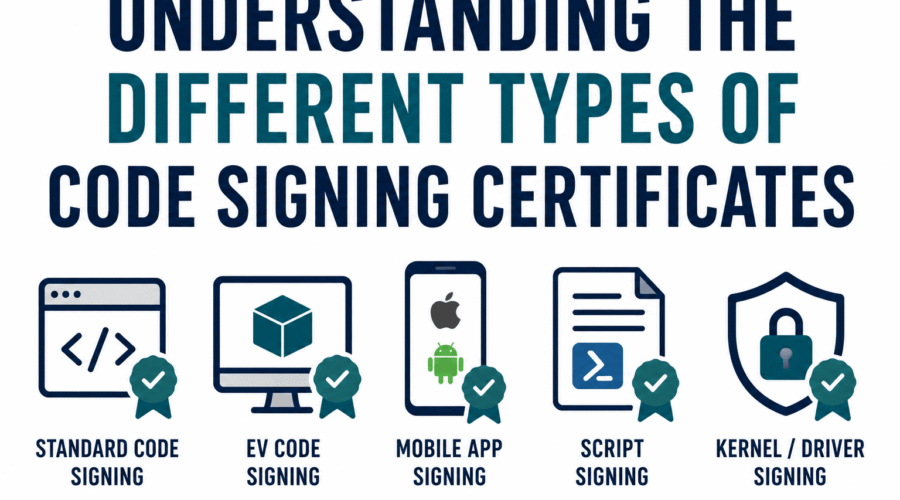
Code signing certificates are not a single thing with a few variations. They exist across multiple independent classification axes that each answer a different question. Most introductory articles cover only one axis (the validation level) and leave readers unclear about what they actually need for their specific platform or workflow.
This reference organizes code signing certificate types across four axes: validation level (who the CA verified), signing architecture (how the signing operation works), key storage model (where the private key lives), and platform ecosystem (what specific requirements each deployment target imposes). Understanding all four axes is what allows a developer, security architect, or procurement team to specify exactly what they need.
Axis 1: Validation Level: Who the CA Verified
Validation level describes how thoroughly the Certificate Authority confirmed the identity of the certificate holder before issuing. It affects what publisher name appears in security prompts, what platforms accept the certificate, and what verification documentation the applicant must provide.
Individual Validation (IV)
IV certificates are issued to private individuals. The CA verifies the applicant’s personal identity, typically through government-issued identification and address confirmation. The signed software shows the individual’s verified name as the publisher. No business registration is required because the certificate is bound to a person, not an entity.
IV certificates are used by independent developers, open-source contributors, and hobbyists who distribute software under their own name rather than a business identity. They are not appropriate when the publisher should be represented as an organization, when the software distribution requires organizational accountability, or when enterprise procurement processes specify organizational certificates.
IV certificates satisfy the same Windows Authenticode trust mechanics as OV: the signature removes the Unknown Publisher warning and allows SmartScreen reputation to build. IV does not satisfy kernel-mode driver signing requirements on Windows 10 and 11, which require EV.
Organization Validation (OV)
OV certificates are issued to registered businesses and legal entities. The CA verifies the organization’s legal registration, physical address, and the requesting individual’s authority to sign on behalf of the organization. The signed software displays the organization’s verified name.
OV is the standard type for most commercial software distribution. It covers the full range of Windows Authenticode signing, macOS application signing (with Apple’s separate notarization process), Office macro signing, PowerShell script signing, and Java JAR signing. For any software distribution that does not involve Windows kernel-mode drivers, OV satisfies the requirement at lower cost and faster issuance than EV.
Since the August 2024 removal of EV Code Signing OIDs from the Microsoft Trusted Root Program, OV and EV certificates build Windows SmartScreen reputation identically through download volume. The SmartScreen distinction between OV and EV no longer exists.
Extended Validation (EV)
EV certificates require the most thorough identity verification: legal existence, physical address, operational status, and explicit authorization of the requestor, all confirmed through multi-document review. Issuance takes 3 to 7 business days.
EV is technically required for two specific purposes: signing Windows kernel-mode and user-mode drivers for submission through Microsoft’s Hardware Dev Center, and establishing a Hardware Dev Center account for WHQL certification and Windows Update driver distribution. For all other signing purposes, OV provides equivalent trust at lower cost since the 2024 SmartScreen change.
EV certificates have always required hardware-protected private keys. Since June 2023, OV certificates share this requirement. The key storage distinction between EV and OV has therefore been eliminated.
| Property | IV | OV | EV |
| Identity verified | Personal identity (government ID) | Organization registration, address, authorized requestor | All OV requirements plus legal existence, operational status, multi-document process |
| Publisher name shown | Individual’s verified name | Organization’s verified name | Organization’s verified name |
| Windows SmartScreen (post-Aug 2024) | Builds by download volume | Builds by download volume | Builds by download volume (same as OV since 2024) |
| Windows kernel driver signing | Not permitted | Not permitted | Required |
| WHQL / Hardware Dev Center access | Not permitted | Not permitted | Required |
| Private key storage (post-June 2023) | Hardware token or HSM | Hardware token or HSM | Hardware token or HSM |
| Typical cost | Lowest | Mid | Highest |
| Typical issuance time | 1-2 days | 1-3 days | 3-7 days |
Axis 2: Platform and Ecosystem: What Each Target Requires
This is the classification axis that most articles omit entirely, yet it is the most practical for developers choosing what certificate to obtain. Each deployment platform has its own signing requirements, trust programs, and verification mechanisms. A certificate trusted on Windows may require additional steps on macOS. A signing approach suitable for containers does not apply to Windows executables.
Windows Authenticode
Windows Authenticode is Microsoft’s code signing framework for executables (.exe), installers (.msi), dynamic link libraries (.dll), cabinet files (.cab), and other PE-format binaries. Authenticode verification runs at execution time through the Windows Trust Verification API. UAC prompts and SmartScreen both use the Authenticode signature to determine what publisher information to display.
Certificate requirements: OV or EV from a CA in the Microsoft Trusted Root Certificate Program. IV certificates from public CAs are also accepted for general Authenticode signing. For kernel-mode driver signing specifically, EV is required and the signed driver must be counter-signed by Microsoft through the Hardware Dev Center submission process.
Key tool: signtool.exe (part of Windows SDK). Produces and verifies Authenticode signatures. Compatible with cloud HSM services through provider plugins.
Windows kernel-mode and user-mode drivers
Drivers that load into the Windows kernel are subject to the strictest signing requirements in the Windows ecosystem. Kernel-mode drivers must be signed with an EV certificate and submitted through Microsoft’s Hardware Dev Center, where Microsoft cross-signs the driver after review. The driver that users install carries both the publisher’s EV signature and Microsoft’s countersignature.
User-mode drivers submitted through the Hardware Dev Center also require EV. Legacy driver signing for pre-Windows 10 Windows versions accepted OV certificates, but modern Windows 10 and Windows 11 kernel integrity enforcement requires the EV plus Microsoft countersignature path.
Hardware manufacturers, device driver developers, security software vendors with kernel components, and system utility developers with kernel access all fall into this category.
macOS: Developer ID and notarization
Apple’s macOS signing and notarization are two distinct requirements that work together. They use Apple-issued certificates rather than certificates from independent public CAs.
Developer ID Signing uses a certificate from Apple’s Developer Program (requires a paid Apple Developer account at $99/year). The Developer ID certificate is issued after Apple’s own identity verification. The signed application shows the developer’s verified name in macOS security dialogs.
Notarization is a separate process: after signing, the application is submitted to Apple’s automated scanning service, which checks for malware, prohibited APIs, and policy violations. Apple returns a notarization ticket that is stapled to the application. macOS Gatekeeper requires both a valid Developer ID signature and a notarization ticket for software distributed outside the Mac App Store to run without user override.
Traditional CA-issued OV or EV code signing certificates are not used for macOS application distribution. The Apple Developer Program certificate is the mechanism, and it is obtained through Apple rather than through a commercial CA. The commercial CA code signing certificate universe is therefore separate from macOS signing.
Developers who distribute for both Windows and macOS need two separate signing mechanisms: a traditional OV or EV certificate from a public CA for Windows Authenticode, and an Apple Developer ID certificate from Apple’s Developer Program for macOS. These are independent systems with no overlap.
Android APK signing
Android application packages use Android’s APK Signature Scheme (v1 through v4, with v2 and later recommended). Android signing differs fundamentally from Windows and macOS: developers generate their own key pairs without involving a Certificate Authority. There is no CA-backed identity verification; the trust model is based on key consistency between app versions.
When a user installs an app from Google Play, the package signature is recorded. Subsequent updates to the same app must be signed with the same key to be accepted as updates. The identity of the developer is verified through Google Play’s own account and developer identity systems, not through the certificate.
Commercial code signing certificates from public CAs are not used for Android APK signing. Developers manage their own signing keys, typically stored in Java keystores or through Google Play App Signing (where Google manages the key on the developer’s behalf).
Java JAR signing
Java Archive signing uses the jarsigner tool with a certificate from a public CA or a self-generated certificate. The original primary use cases for JAR signing (browser applets and Java Web Start) are defunct since JDK 11 (2018). Current JAR signing use cases are primarily enterprise: internal application distribution portals validating signed artifacts, Java Agent integrity verification for runtime environments, and legacy enterprise systems requiring signed plugin components.
Certificate requirement: OV or IV certificate from a CA whose root is in the Java trust store (the JDK cacerts keystore). Standard public CA OV certificates satisfy this for most contexts. The signing tool is jarsigner, bundled with every JDK installation.
Microsoft Office macros and VBA
VBA macros in Microsoft Office documents can be signed with a code signing certificate so they run under the Trusted Publishers security zone rather than requiring user approval for each execution. Enterprise environments commonly configure Office via Group Policy to run only signed macros, blocking unsigned macro execution.
Certificate requirement: An OV code signing certificate from a CA trusted by the Windows Certificate Store. The signing is performed through the Visual Basic Editor (Tools, Digital Signature) or via a command-line signing tool. The signed macro shows the publisher’s verified organizational name in the Trust Center security dialog.
PowerShell scripts
Windows PowerShell execution policies can require that scripts be digitally signed before running. The AllSigned and RemoteSigned execution policies use Authenticode signatures on PowerShell (.ps1) and module (.psm1, .psd1) files.
Certificate requirement: a code signing certificate trusted by the Windows Certificate Store. OV certificates from public CAs satisfy this. The signing is performed with Set-AuthenticodeSignature (built into PowerShell). Enterprise environments frequently require signed PowerShell scripts to prevent unauthorized script execution, particularly for administrative and automation scripts.
Container images and cloud-native artifacts (Sigstore)
Container image signing and signing of cloud-native artifacts (Helm charts, SBOMs, OCI artifacts) uses a fundamentally different trust model from CA-issued code signing certificates. Sigstore is the dominant framework for this ecosystem.
Sigstore’s cosign tool signs container images using either a long-lived key pair or keyless signing via OIDC identity (GitHub Actions, Google, or similar identity providers). Keyless signing generates a short-lived certificate from Sigstore’s Fulcio CA, signs the artifact, records the event in the Rekor transparency log, and discards the ephemeral key. No certificate purchase is required.
Sigstore signing is used by default in PyPI for Python packages, is being adopted in the npm ecosystem, and is standard practice for container images in CI/CD pipelines. It does not produce Windows Authenticode-compatible signatures and does not satisfy Windows SmartScreen requirements. It is the appropriate signing mechanism for container and cloud-native software distribution, not for traditional desktop software.
NuGet packages
NuGet packages distributed through nuget.org can be signed with a certificate to allow consumers to verify package integrity and origin. The nuget.org repository requires that signed packages use a certificate from a CA whose root is in the Microsoft Trusted Root Certificate Program. OV code signing certificates from major public CAs satisfy this requirement.
NuGet package signing is optional on nuget.org but increasingly expected for packages consumed in enterprise environments with strict supply chain controls. The NuGet client can be configured to require signed packages, reject packages from untrusted signers, or warn on unsigned packages.
Platform Requirements at a Glance
| Platform / artifact type | Certificate type required | Issued by | Key tool | Notes |
| Windows .exe/.dll/.msi (Authenticode) | OV or EV from MRCP member CA | Public CA (DigiCert, Sectigo, etc.) | signtool.exe | OV sufficient for all non-driver use cases post-2024 |
| Windows kernel-mode / user-mode drivers | EV only | Public CA | signtool.exe + Hardware Dev Center submission | Microsoft countersignature added after submission |
| macOS applications (Gatekeeper) | Apple Developer ID certificate | Apple Developer Program | codesign, xcrun notarytool | Separate from public CA certificates; notarization also required |
| Android APKs | Self-generated key (no CA required) | Developer self-generated | apksigner, Android Studio | CA-issued certificates not used; Google Play manages signing optionally |
| Java JAR files | OV or self-generated (context-dependent) | Public CA or self | jarsigner | Browser applet/Web Start use cases defunct; enterprise distribution primary use |
| Office macros and VBA | OV from Windows-trusted CA | Public CA | Visual Basic Editor or signtool | Required for Trusted Publisher zone in enterprise Group Policy environments |
| PowerShell scripts (.ps1) | OV from Windows-trusted CA | Public CA | Set-AuthenticodeSignature | Required for AllSigned execution policy compliance |
| Container images / OCI artifacts | None required (Sigstore keyless) or long-lived key | Sigstore Fulcio CA (free) or self-managed | cosign | Does not produce Windows Authenticode signatures |
| NuGet packages | OV from MRCP member CA | Public CA | nuget sign | Optional on nuget.org; enforced in some enterprise environments |
| npm packages | Sigstore keyless (OIDC provenance) | Sigstore Fulcio CA (free) | npm provenance | npm provenance attestations use Sigstore; not CA-based OV/EV |
Axis 3: Signing Architecture: How the Operation Works
Beyond the certificate type itself, the signing architecture describes how the signing operation is performed and where trust originates. Three architectures are in active use.
Traditional CA-issued certificate signing
A Certificate Authority verifies the publisher’s identity, issues an X.509 certificate with a code signing EKU, and delivers it bound to a private key stored in hardware. The publisher uses signtool, jarsigner, or a compatible tool to sign artifacts. The trust chain runs from the publisher’s certificate through intermediate CA certificates to a root CA in the platform’s trust store.
This is the standard model for Windows Authenticode, Office macro signing, PowerShell signing, NuGet signing, and Java JAR signing. All major public CAs (DigiCert, Sectigo, GlobalSign, SSL.com) operate within this model. The CA’s identity verification is what gives the publisher’s name credibility in security prompts.
Platform-managed signing (Apple, Google, Microsoft)
Some platforms operate their own signing and identity verification infrastructure completely separate from the public CA ecosystem. Apple’s Developer ID program, Google Play’s app signing, and Microsoft’s Hardware Dev Center countersignature for drivers all fall into this category.
In these systems, the platform is the trust anchor. Apple issues Developer ID certificates directly to developers after its own identity verification. Google manages APK signing keys for developers who opt into Google Play App Signing. Microsoft countersigns WHQL-submitted drivers after testing. The trust does not pass through a third-party CA.
Keyless signing via OIDC identity (Sigstore)
Sigstore’s keyless signing model eliminates long-lived private key management. The build pipeline authenticates using its OIDC identity (GitHub Actions, GitLab CI, Google Workload Identity), presents the identity token to Sigstore’s Fulcio CA, receives a short-lived certificate valid for a few minutes, signs the artifact, records the event in the Rekor transparency log, and discards the ephemeral private key.
The trust in this model comes from the OIDC identity provider (for example, GitHub’s identity for a specific Actions workflow in a specific repository) and from the Rekor transparency log (which records all signing events for independent verification). Verification confirms that this specific artifact was signed by this specific workflow in this specific repository at a verified time.
This model is appropriate for open-source software, containers, and cloud-native artifacts where the build system’s identity is the meaningful trust anchor. It is not appropriate for scenarios where user-facing prompts need to show a verified organizational name.
Axis 4: Key Storage Model: Where the Private Key Lives
Key storage determines how the private key is protected and how signing operations are performed. Since June 2023, publicly trusted code signing certificates require hardware-based key storage. Three models exist.
Physical hardware token
A USB security device (SafeNet eToken, Entrust nShield, YubiKey FIPS, or similar) stores the private key in tamper-resistant hardware. Signing requires the token to be physically connected. The key cannot be extracted from the device.
Physical tokens are straightforward for individual developers signing manually from a workstation. They create operational challenges for distributed teams (only one location at a time), CI/CD pipelines (cannot plug tokens into build servers), and high-volume signing workflows. Physical token loss requires immediate certificate revocation and reissuance.
Cloud HSM signing service
The CA or a dedicated signing service stores the private key in remote hardware security modules accessible via authenticated API. Signing operations are performed inside the HSM; the raw key never leaves the hardware. The developer or build system authenticates to the service and submits content for signing.
Cloud HSM is the standard solution for CI/CD pipeline signing, distributed teams, and any context where physical hardware cannot be present at every signing location. Major services: DigiCert KeyLocker, SSL.com eSigner, GlobalSign Cloud Signing, Azure Trusted Signing. Cloud HSM eliminates token management overhead while meeting the FIPS hardware requirement.
Self-managed HSM or enterprise KMS
Large organizations sometimes operate their own on-premises HSM appliances (Thales Luna, nShield Connect) or use cloud KMS services (AWS KMS, Azure Key Vault, Google Cloud KMS) as their key store. The certificate is still issued by a public CA, but the key is generated and stored in the organization’s own infrastructure. Signing operations call the organization’s HSM or KMS via API.
This model is used by enterprises that require complete control over key lifecycle, have existing HSM infrastructure, need to integrate signing with internal key management policies, or operate under regulatory frameworks that specify key custody requirements. It is more complex to set up than a CA-provided cloud HSM service but gives maximum control.
Choosing the Right Type: A Decision Framework
The right certificate type and signing architecture is determined by answering these questions in order:
| Question | If yes | If no |
| Does the software include Windows kernel-mode or user-mode drivers for Windows 10/11? | EV certificate required. Proceed to platform and key storage questions. | OV or IV certificate is sufficient for all other Windows signing. |
| Is the software for macOS distribution? | Apple Developer ID certificate required (separate from public CA). Notarization also required. | Apple Developer ID is not needed; proceed to other platform questions. |
| Is the software an Android APK? | Self-generated signing key is sufficient; no public CA certificate required. | Proceed to other platform questions. |
| Is the software a container image, Python package, or npm package? | Sigstore keyless signing is appropriate; no CA-issued certificate required. | Proceed to other platform questions. |
| Is signing identity a registered business or organization (not an individual)? | OV certificate required. | IV certificate is appropriate for individual developers. |
| Will signing happen in an automated build pipeline? | Cloud HSM or self-managed KMS required; physical hardware token is not suitable. | Physical hardware token is acceptable for manual workstation signing. |
Many developers building cross-platform software will end up needing multiple certificate types and signing mechanisms in parallel: an OV or EV from a public CA for Windows and NuGet, an Apple Developer ID for macOS, Sigstore keyless signing for container images, and Android self-signing for APKs. These are independent systems that operate simultaneously. Budgeting and planning should account for all of them, not just the most familiar one.
Frequently Asked Questions
What is the difference between OV and EV code signing?
Both are issued to organizations and carry the organization’s verified name. OV requires the CA to verify the organization’s legal registration, address, and authorized requestor. EV requires all of that plus legal existence confirmation, operational status verification, and a more thorough multi-document review process. EV is technically required only for Windows kernel-mode driver signing and WHQL Hardware Dev Center access. For all other signing purposes, OV and EV provide equivalent trust in Windows SmartScreen since Microsoft removed the EV OID distinction in August 2024.
Do I need a code signing certificate for macOS?
Not from a public CA. macOS application signing uses Apple Developer ID certificates issued through Apple’s own Developer Program, which requires a $99/year membership. After signing with a Developer ID certificate, applications must also be notarized through Apple’s automated scanning service before macOS Gatekeeper will permit them to run without user override. These are separate from and independent of the OV and EV certificates issued by commercial Certificate Authorities for Windows signing.
What type of certificate do I need for signing PowerShell scripts?
An OV code signing certificate from a CA whose root is trusted in the Windows Certificate Store. Most major public CAs (DigiCert, Sectigo, GlobalSign) qualify. The signing is performed with Set-AuthenticodeSignature in PowerShell, which uses the same Authenticode mechanism as executable signing. The certificate must be in the signing machine’s Personal certificate store. Enterprise environments enforcing AllSigned or RemoteSigned execution policies will require this for any PowerShell automation.
Is Sigstore a type of code signing certificate?
Sigstore is a signing architecture and infrastructure platform, not a certificate type in the traditional CA sense. Its Fulcio component does issue short-lived X.509 certificates as part of the keyless signing flow, but they are not the same as CA-issued OV or EV certificates: they are generated per signing event, valid for a few minutes, and tied to an OIDC identity rather than a validated organizational identity. Sigstore is the appropriate signing mechanism for container images, Python packages, and cloud-native artifacts. It is not appropriate for Windows Authenticode, macOS Gatekeeper, or other desktop platform signing that requires a traditional CA-issued certificate.
Can one code signing certificate cover all platforms?
No. Each major platform has its own signing requirements and trust infrastructure. A Windows OV certificate handles Windows Authenticode, Office macros, PowerShell scripts, and NuGet packages, but not macOS (which requires an Apple Developer ID), not Android (which uses self-generated keys), and not container images (which use Sigstore). A complete multi-platform distribution strategy requires multiple signing mechanisms, each appropriate for its target ecosystem. The platform requirements table in this article maps each artifact type to its required certificate and tool.

Gloria Bradford is a renowned expert in the field of encryption, widely recognized for her pioneering work in safeguarding digital information and communication. With a career spanning over two decades, she has played a pivotal role in shaping the landscape of cybersecurity and data protection.
Throughout her illustrious career, Gloria has occupied key roles in both private industry and government agencies. Her expertise has been instrumental in developing state-of-the-art encryption and code signing technologies that have fortified digital fortresses against the relentless tide of cyber threats.