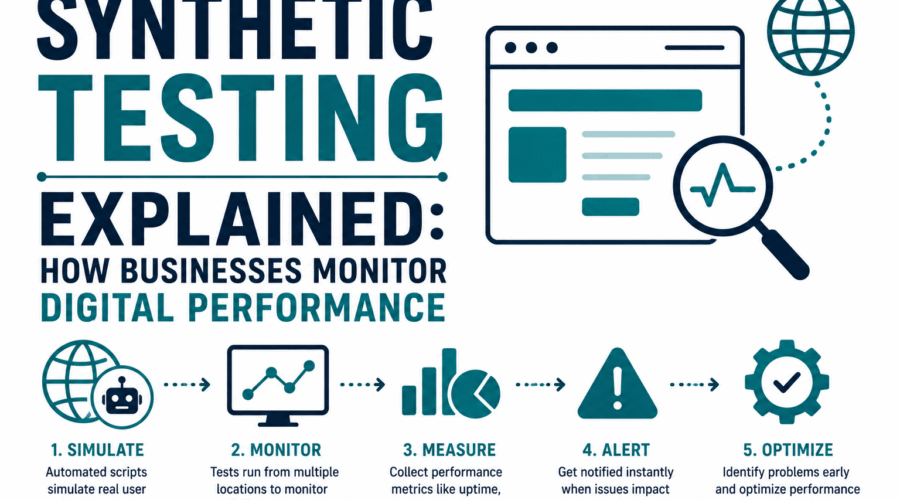
Synthetic testing is a monitoring approach that uses scripted, automated interactions with an application to verify it is behaving correctly, before real users discover problems. Instead of waiting for user complaints or error reports, synthetic testing runs simulated transactions on a schedule and alerts you when they fail or degrade.
The ‘synthetic’ in synthetic testing refers to the artificial, scripted nature of the interactions: a bot, not a real user, is making the requests. This makes synthetic testing proactive rather than reactive. You set it up to continuously verify critical paths in your application, and it catches problems the moment they occur.
Synthetic Testing vs Real User Monitoring
Synthetic testing and real user monitoring (RUM) are complementary approaches that answer different questions:
| Property | Synthetic testing | Real user monitoring (RUM) |
| Data source | Scripted bots running from controlled locations | Actual users interacting with the application |
| When it runs | On a schedule (every minute, every 5 minutes, etc.) | Continuously, whenever real users are active |
| What it catches | Failures in known critical paths; performance degradation | Unexpected user-reported issues; real-world performance across devices and locations |
| Coverage during low traffic | Full: runs regardless of user activity | None: no users means no data |
| Control over scenarios | High: you define exactly what to test | Low: users follow their own paths |
| Pre-production testing | Yes: can test staging environments before launch | No: only works where real users are present |
| Alert latency | Low: alerts within one test interval | Depends on user traffic patterns |
Most production monitoring strategies use both. Synthetic testing covers known critical flows and provides baseline performance data at regular intervals. RUM captures the breadth of real user experience across browsers, devices, and geographic locations. Neither alone tells the complete story.
Types of Synthetic Tests
Availability (uptime) checks
The simplest form of synthetic test: send an HTTP request to a URL every few minutes and verify you receive a successful response (HTTP 200). If the response fails or takes longer than a threshold, trigger an alert. Uptime checks are the foundation of availability monitoring. They don’t verify content or functionality, only that the endpoint is responding.
For software publishers, availability checks on download servers and update endpoints ensure users can always access software when needed. A download server that is down affects all users trying to install or update the software, often silently (the installer just fails with a generic network error).
API endpoint testing
API tests send requests to specific endpoints with defined parameters and assert that the response body, status code, headers, and latency meet expectations. An API synthetic test might verify that a software update API returns the correct version number, that an authentication endpoint responds within acceptable latency, or that specific response fields are present and correctly formatted.
For software that uses an update API to check for new versions, synthetic testing of that API ensures the update mechanism works correctly at all times, not just when a developer is actively testing it.
Browser-based transaction testing
Browser tests drive a real browser (via Playwright, Puppeteer, Selenium, or similar frameworks) through a sequence of user interactions: navigating to a URL, clicking elements, filling forms, verifying content. These tests simulate what a real user experiences, including JavaScript execution, CSS rendering, and network loading.
Browser transaction tests are more expensive to run than simple HTTP checks but provide much richer coverage. A checkout flow test that navigates from product page to cart to payment confirmation catches regressions that a simple API check would miss.
Certificate expiry monitoring
Certificate expiry checks are a form of synthetic test specifically relevant to software publishers: periodically check an HTTPS endpoint’s SSL/TLS certificate and alert when the certificate is approaching expiry. A certificate that expires on a download server or update endpoint causes all connections to fail with certificate errors, preventing users from downloading or updating the software.
The principle extends to code signing certificate monitoring. While code signing certificates don’t expire on a server in the same way SSL certificates do, tracking their expiry dates and alerting in advance prevents the pipeline failure that occurs when signing attempts with an expired certificate. An automated certificate expiry check that alerts 60 days before expiry gives time for renewal before it becomes urgent.
For software publishers, certificate monitoring applies at two levels: SSL/TLS certificates on download servers and update endpoints (directly testable via synthetic checks against HTTPS endpoints), and code signing certificate expiry dates (tracked in certificate management tools or CI/CD secrets management with expiry alerts). Both represent infrastructure that, when it fails, silently breaks the user experience for all users simultaneously.
Key Metrics in Synthetic Testing
| Metric | What it measures | Threshold example |
| Availability (uptime) | Percentage of checks that succeed in a given period | 99.9% uptime = less than 8.7 hours downtime per year |
| Response time | Time from request sent to response received | Alert if > 2 seconds; critical if > 5 seconds |
| Time to First Byte (TTFB) | Time until the first byte of the response is received | Indicates server processing time; alert if > 600ms |
| Time to Interactive (TTI) | Time until page is fully interactive in a browser test | Indicates frontend performance; varies by application type |
| Transaction success rate | Percentage of multi-step tests that complete successfully | Alert if < 100% for critical flows |
| Certificate days remaining | Days until the SSL/TLS certificate expires | Alert at 60 days, critical at 14 days |
Synthetic Testing Tools
Managed monitoring services
Commercial synthetic monitoring platforms handle the infrastructure: they run your tests from distributed locations globally, store results, provide dashboards, and manage alerting. Pingdom, Datadog Synthetic Monitoring, New Relic Synthetic Monitoring, Uptime.com, and StatusCake are representative examples. These are appropriate for teams that want monitoring quickly without building and maintaining their own infrastructure.
Most offer a free tier covering basic uptime checks for a small number of endpoints, with paid plans adding browser transaction tests, more check locations, higher check frequency, and larger test volumes.
Checkly and code-based monitoring
Checkly represents a newer approach: define synthetic tests as code (using Playwright or the Checkly SDK in JavaScript/TypeScript), store them in your source repository, and run them in CI/CD pipelines as well as on a monitoring schedule. This ‘monitoring as code’ pattern keeps tests in version control alongside application code, enabling reviews, change tracking, and automated deployment of monitoring changes.
Open-source and self-hosted options
Playwright, Puppeteer, and Cypress are browser automation frameworks that can be used as the foundation of synthetic testing infrastructure. Running these in GitHub Actions on a cron schedule or deploying them as containerized services provides synthetic monitoring without third-party dependencies. The tradeoff is the operational overhead of building and maintaining the infrastructure versus the cost of a managed service.
Simple availability checks with built-in tools
For basic uptime checking, curl from a cron job or a GitHub Actions scheduled workflow provides synthetic availability testing without any specialized tooling. The simplest form of synthetic check that any developer can implement immediately:
| # Simple availability check using curl (shell script):
#!/bin/bash URL=’https://downloads.yourcompany.com/latest/setup.exe’ RESPONSE=$(curl –silent –output /dev/null –write-out ‘%{http_code}’ “$URL”)
if [ “$RESPONSE” -ne 200 ]; then echo “ALERT: $URL returned HTTP $RESPONSE” # Send alert via email, Slack webhook, or PagerDuty API fi
# Check SSL certificate expiry with curl: EXPIRY=$(curl –verbose –silent “https://downloads.yourcompany.com” 2>&1 | grep -i ‘expire date’ | sed ‘s/.*expire date: //’) echo “Certificate expires: $EXPIRY”
# Playwright browser test (JavaScript) for download page: const { test, expect } = require(‘@playwright/test’);
test(‘download page loads and shows correct version’, async ({ page }) => { await page.goto(‘https://yourcompany.com/download’); await expect(page).toHaveTitle(/Download/); const versionText = await page.locator(‘.version-number’).textContent(); expect(versionText).toMatch(/^2\./); // Verify version 2.x is shown }); |
Getting Started With Synthetic Testing
A practical sequence for implementing synthetic testing incrementally:
- Start with availability checks on critical endpoints: Your primary download URL, your update API if you have one, and your main website. A simple uptime check on each gives baseline coverage immediately.
- Add response time thresholds: Most monitoring services let you fail an uptime check if the response takes longer than a threshold. Set initial thresholds based on current performance, not arbitrary targets. A baseline of what normal looks like makes anomaly detection meaningful.
- Add SSL certificate expiry monitoring: Configure checks that alert when your download server certificates are within 60 days of expiry. This prevents the silent failure where a certificate expires and users can no longer download your software.
- Add a multi-step browser test for your critical user flow: For a software publisher, the critical flow is the download and installation process, or at minimum the download page loading and a download link being present and functional. A browser test that verifies this flow catches CDN misconfigurations, broken download links, and page regressions.
- Integrate with your incident response process: Alerts that go nowhere are not useful. Route synthetic test failures to the same channel that handles production incidents, whether that is PagerDuty, Opsgenie, Slack, or email.
Frequently Asked Questions
What is the difference between synthetic testing and load testing?
Synthetic testing uses a small number of automated transactions to verify that an application works correctly, running at regular intervals to detect failures and performance degradation. Load testing sends large volumes of requests to determine how an application performs under high traffic, typically run on demand before significant releases rather than continuously. Synthetic testing is for continuous monitoring in production. Load testing is for capacity planning and pre-release validation.
How often should synthetic tests run?
Availability checks typically run every 1-5 minutes. More frequent checks detect problems faster but consume more monitoring resources (test runs and API calls to monitoring services). Browser transaction tests, which take longer to execute, typically run every 5-15 minutes. Certificate expiry checks need only run daily. The check frequency should reflect how quickly you need to know about a failure: if a download server down for 10 minutes is acceptable, 5-minute checks are appropriate. If a 1-minute outage is critical, 1-minute checks are warranted.
Can synthetic testing replace manual QA testing?
No. Synthetic testing verifies that predefined scenarios work correctly on a continuous basis. Manual QA testing involves human judgment, exploratory testing for unexpected edge cases, and subjective evaluation of user experience quality. Synthetic testing is excellent at catching regressions in known workflows and detecting infrastructure failures. Manual testing is better at finding new types of problems and assessing subjective quality. Both have roles in a complete testing strategy.
Is synthetic testing relevant for software publishers, not just web applications?
Yes. Software publishers have specific synthetic testing needs: availability of download servers and CDN endpoints, correctness of update APIs, SSL certificate validity on distribution infrastructure, and potentially verification that signed installer files are still accessible and returning correct checksums. A download server that returns the wrong file, or a certificate that has expired silently, can affect all users trying to install or update the software. Synthetic monitoring of distribution infrastructure catches these failures before user reports do.

Gloria Bradford is a renowned expert in the field of encryption, widely recognized for her pioneering work in safeguarding digital information and communication. With a career spanning over two decades, she has played a pivotal role in shaping the landscape of cybersecurity and data protection.
Throughout her illustrious career, Gloria has occupied key roles in both private industry and government agencies. Her expertise has been instrumental in developing state-of-the-art encryption and code signing technologies that have fortified digital fortresses against the relentless tide of cyber threats.
Gloria Bradford
Gloria Bradford is a renowned expert in the field of encryption, widely recognized for her pioneering work in safeguarding digital information and communication. With a career spanning over two decades, she has played a pivotal role in shaping the landscape of cybersecurity and data protection. Throughout her illustrious career, Gloria has occupied key roles in both private industry and government agencies. Her expertise has been instrumental in developing state-of-the-art encryption and code signing technologies that have fortified digital fortresses against the relentless tide of cyber threats.