How to Solve the “Code Has Been Tampered With or Repackaged” Error
This error means the system verified a code signature and found a mismatch: the signed hash no longer matches the file's actual contents. The code was modified after signing, or the signature from the original publisher was replaced with a different one. Both produce the same detection result. The error
Read more
Common Code Signing Certificate Errors: Causes and Fixes
Code signing errors fall into predictable categories: the tool can't find the certificate, the certificate chain can't be verified, a network resource is unreachable, the file format isn't supported, or something modified the file after signing. Knowing which category an error belongs to cuts troubleshooting time significantly. This reference covers
Read more
The Importance and Use of Code Signing Certificates for Healthcare Software
Healthcare software operates in a threat environment where the consequences of tampered or fraudulent software extend beyond data theft to patient safety. A compromised update to an electronic health record system can alter drug dosages in medication management modules. Malicious firmware on a connected medical device can affect device behavior.
Read more
App Store Rejection Due to Code Signing: The Exact Certificate You Need for Each Platform
App store submission rejections from code signing issues almost always have the same root cause: the developer used the wrong type of certificate for the target distribution channel. Every major platform has multiple certificate types for different purposes, and using the wrong one produces a rejection that can look like
Read more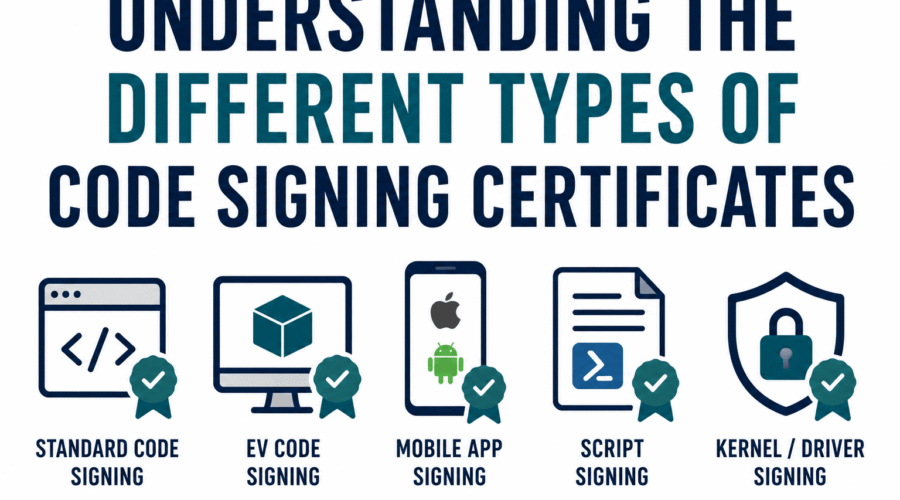
Types of Code Signing Certificates: A Complete Reference
Code signing certificates are not a single thing with a few variations. They exist across multiple independent classification axes that each answer a different question. Most introductory articles cover only one axis (the validation level) and leave readers unclear about what they actually need for their specific platform or workflow.
Read more
Code Signing Certificate Terminology: A Comprehensive Reference Guide
Code signing involves overlapping vocabularies from cryptography, PKI, Windows internals, and CA/B Forum policy. The same underlying concept sometimes carries different names depending on context: a 'thumbprint' and a 'fingerprint' are the same thing; a 'cloud HSM' and an 'HSM signing service' describe the same delivery model. This guide defines
Read more
Code Signing Certificates: Usage Statistics and Trends for 2026
Code signing has expanded from a Windows desktop distribution requirement into a foundational layer of software supply chain security. The statistics behind that shift reveal two concurrent trends: rapid growth in legitimate adoption driven by regulatory and platform mandates, and equally rapid growth in misuse as threat actors exploit the
Read more
Does a Code Signing Certificate Work for Both 32-bit and 64-bit Executables?
Yes. One code signing certificate works for 32-bit executables, 64-bit executables, and ARM64 executables. The same signtool command, the same certificate, and the same thumbprint apply to all three without any changes. The rest of this article explains why, covers the scenarios where you might expect it to be more
Read more
Why Antivirus Programs Flag Your Software as Suspicious: The Code Signing Fix
Code signing helps with antivirus false positives, but it does not eliminate them. That is the honest starting point for this topic, and it is different from how most code signing vendors frame it. A code signing certificate tells an antivirus engine who signed the software and establishes a publisher
Read more
Need to Sign My Windows Software Before Launch : Which Code Signing Certificate Should I Buy?
Five questions determine which code signing certificate is right for your situation. Answer them in order and you will have a clear recommendation by the end of this guide, along with the immediate action to take. Question 1: Are You Signing Kernel-Mode Windows Drivers? This is the most important
Read more