AI in Cybersecurity: Friend or Foe? Exploring the Pros, Cons, and Impact on Your Business
The digital landscape is constantly evolving, and with it, the threats posed by cybercriminals. As businesses increasingly rely on online infrastructure and data, the need for robust cybersecurity measures has become paramount. In this ever-changing environment, Artificial Intelligence (AI) is emerging as a powerful tool for bolstering our digital defenses.
Read MoreMost Popular Code Signing Certificate Errors
Expired Certificate: Error: "The certificate has expired." Solution: Renew the code signing certificate before it expires. Obtain a new certificate from the certificate authority and update your signing process with the new certificate. Invalid Certificate: Error: "The certificate is not valid." Solution: Ensure that the code signing certificate is issued
Read MoreHow to Solve “The root certificate used to sign the code is not trusted” Error?
If you encounter an error stating that "the root certificate used to sign the code is not trusted," it indicates that the root certificate used in the code signing process is not recognized or trusted by the system or platform where the code is being executed. This can lead to
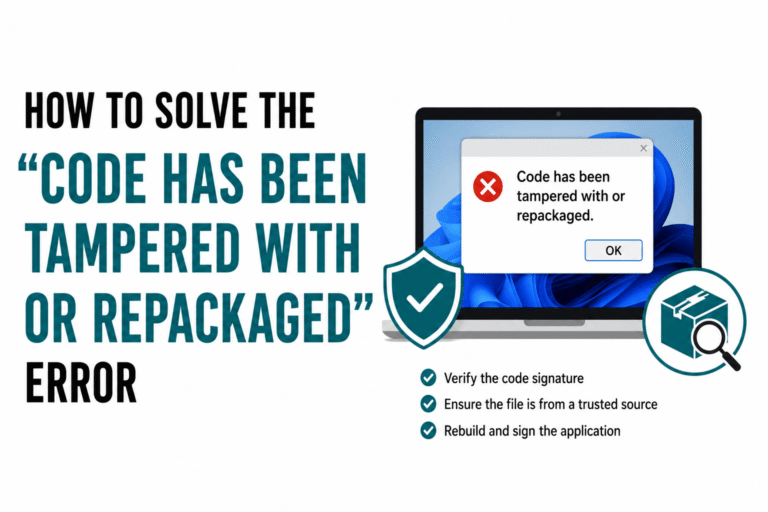
Read MoreHow to Solve “Code has been Tampered with or Repackaged” Error?
If you receive an error or warning indicating that "code has been tampered with or repackaged," it suggests that the integrity of the application has been compromised. This is a serious concern for security and trust. The error message "Code has been tampered with or repackaged" typically indicates that the
Read MoreHow to Solve “Code Signing Policy Violation” Error?
If you encounter a "Code Signing Policy Violation" error, it typically means that your code signing process doesn't comply with the policies set by the platform or service you are attempting to sign the code for. A "Code Signing Policy Violation" typically refers to a situation where the code signing
Read MoreUnable to Contact the Code Signing Server: Complete Troubleshooting Guide
"Unable to contact the code signing server" (and related messages like "The timestamp operation failed" or "The specified timestamp server either could not be reached or returned an invalid response") covers two distinct problems that look identical on the surface: Timestamp server unreachable: signtool is contacting a third-party timestamp server
Read MoreCode Signing Failed? How to Solve the Unrecognized File Format Error
You ran signtool. You got an error about an unrecognized or unsupported file format. Now your build is blocked and you're not sure whether the problem is the file, the tool, or your signing command. Here's the good news: this error has a small number of causes and every single
Read MoreHow to Fix NET::ERR_SSL_OBSOLETE_VERSION Warning
The "NET::ERR_SSL_OBSOLETE_VERSION" warning is a message that appears in web browsers when there is an issue with the SSL/TLS (Secure Sockets Layer/Transport Layer Security) protocol version used for securing a connection to a website. This warning typically indicates that the SSL/TLS version being used is outdated, obsolete, or considered insecure.
Read MoreHow to Fix ERR_SSL_VERSION_OR_CIPHER_MISMATCH
When you encounter the dreaded ERR_SSL_VERSION_OR_CIPHER_MISMATCH error in your web browser, it can be frustrating and confusing. This error typically indicates a problem with the SSL/TLS connection between your browser and the server. Fortunately, there are several steps you can take to troubleshoot and fix this issue. In this comprehensive
Read MoreImportance and use of Code Signing Certificate for Healthcare Software
In the healthcare industry, the use of software is integral to providing efficient, accurate, and secure healthcare services. Healthcare software encompasses a wide range of applications, from electronic health records (EHRs) and medical imaging software to patient management systems and telemedicine platforms. However, with the increasing importance of digital health
Read More